

How Much eSIM Data Do You Actually Need for Your Trip?
A practical breakdown of data usage by activity, so you stop overpaying for a plan you won't finish — or running out on day three.
One of the most common questions travelers ask before buying an eSIM is simple: how much data do I actually need? Buy too little and you're stuck hunting for Wi-Fi on day three. Buy too much and you've paid for data you'll never touch. Here's a practical way to figure it out before you check out.
Start with what you'll actually be doing
Data usage depends far more on your habits than your destination. A rough breakdown of common activities:
Maps and navigation — light. About 5–10 MB per hour of active use.
Messaging apps (WhatsApp, iMessage, text-based chats) — very light. Under 1 MB per hour unless you're sending lots of photos or video.
Social media browsing (Instagram, TikTok, X) — moderate to heavy. Expect 150–300 MB per hour of scrolling, more if autoplay video is on.
Music streaming — moderate. Around 40–60 MB per hour on standard quality.
Video streaming (Netflix, YouTube) — heavy. 300 MB to 1 GB+ per hour depending on resolution.
Video calls — heavy. 200–400 MB per hour on standard definition.
A rough daily budget by traveler type
Light user (maps + messaging, mostly relying on hotel/café Wi-Fi): 250–500 MB/day
Average user (maps, messaging, some social browsing, music): 1–2 GB/day
Heavy user (social media, streaming, video calls, minimal Wi-Fi reliance): 3 GB/day or more
Multiply your daily estimate by the length of your trip, then add a small buffer — 10–15% is usually enough — for the days you use more than planned.
A few ways to cut your usage without noticing
Download offline maps for your destination before you leave — most navigation apps support this, and it removes maps from your data usage almost entirely.
Download music and podcasts in advance over Wi-Fi rather than streaming on the go.
Set social apps to lower video quality or disable autoplay while on mobile data.
Use hotel, café, and airport Wi-Fi for anything heavy — video calls, uploading photos, streaming — and save your eSIM data for when you're out and about.
When in doubt, size up slightly
Running out of data mid-trip is a worse experience than having a little left over — and most plans let you top up instantly if you do run low, so there's no need to overbuy "just in case." Start with your realistic daily estimate, add a small buffer, and adjust for your next trip based on what you actually used.
Track your usage as you go
Once you're on your trip, don't just guess how much data you have left — check it directly in the app:
Open My eSIMs in the Atlass app
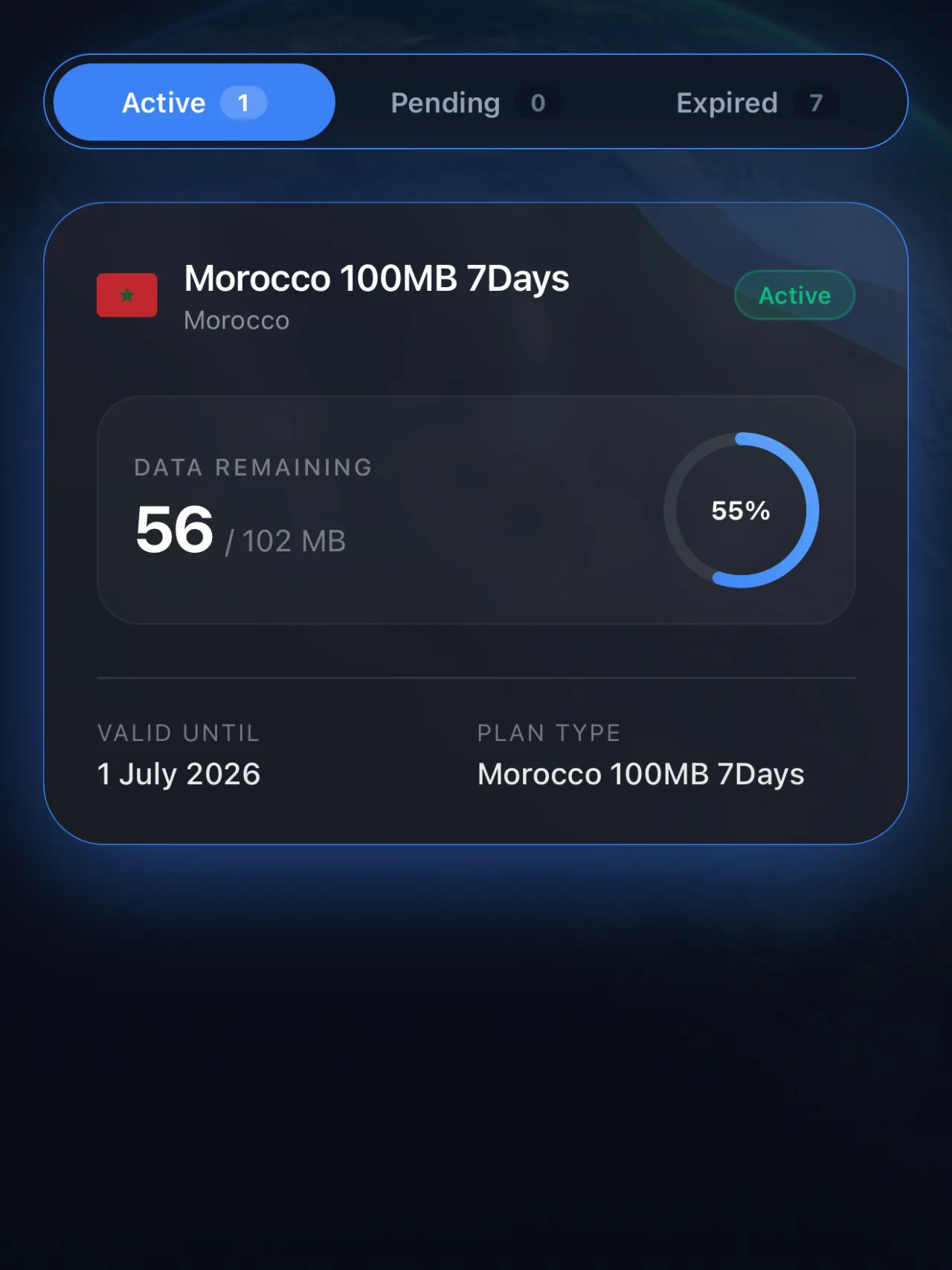
Tap your active eSIM plan
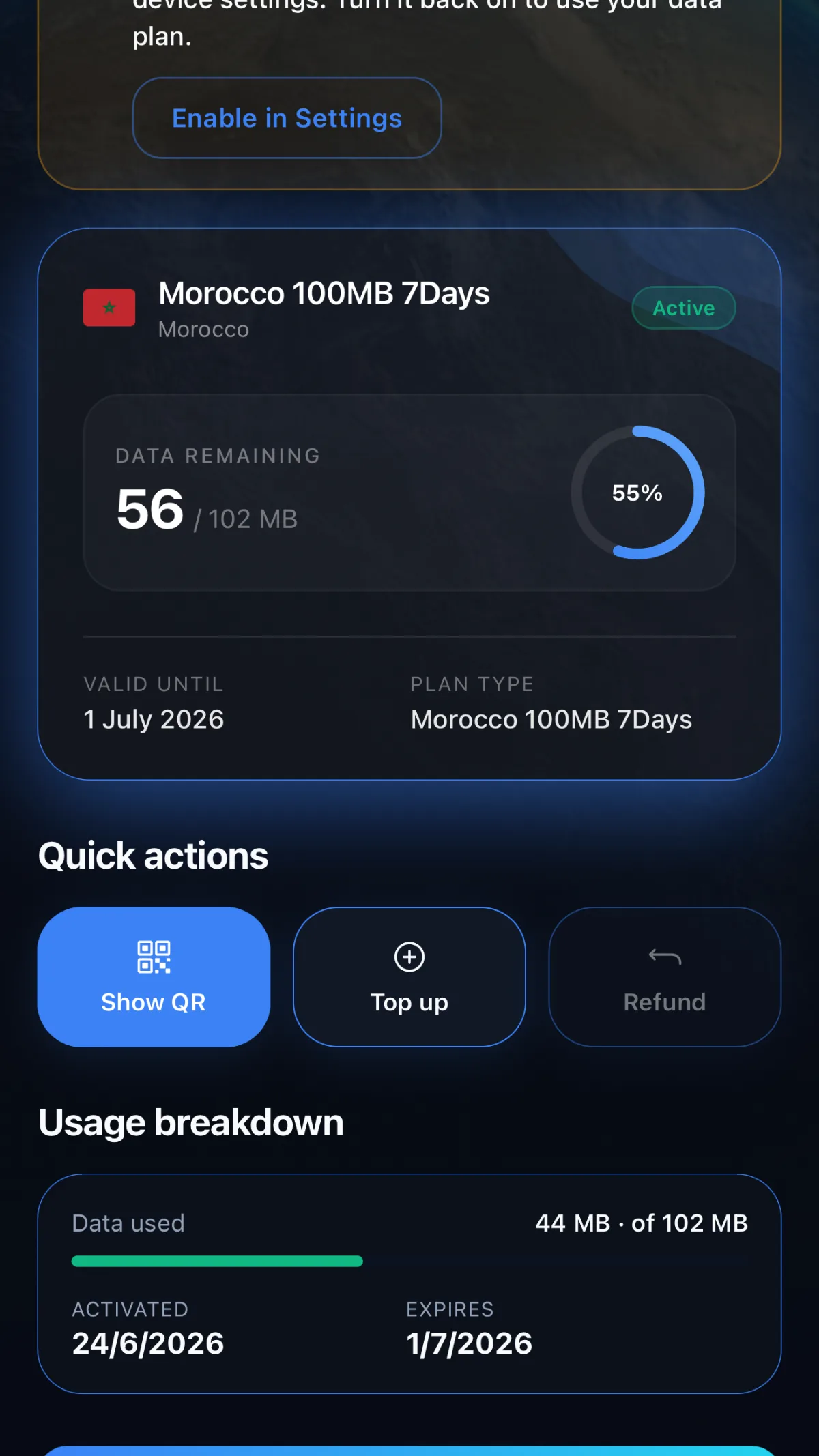
Check the circular progress bar showing your remaining data at a glance
If you're running low with days left on your trip, tap Top Up right there on the same screen — no need to buy a whole new plan or start over.
Ready to Stay Connected on Your Next Trip?
Whatever your data habits, get a plan sized right the first time — no guesswork, no overpaying.
Browse data plans by destination →
Browse plansPrefer to set it up in-app?