
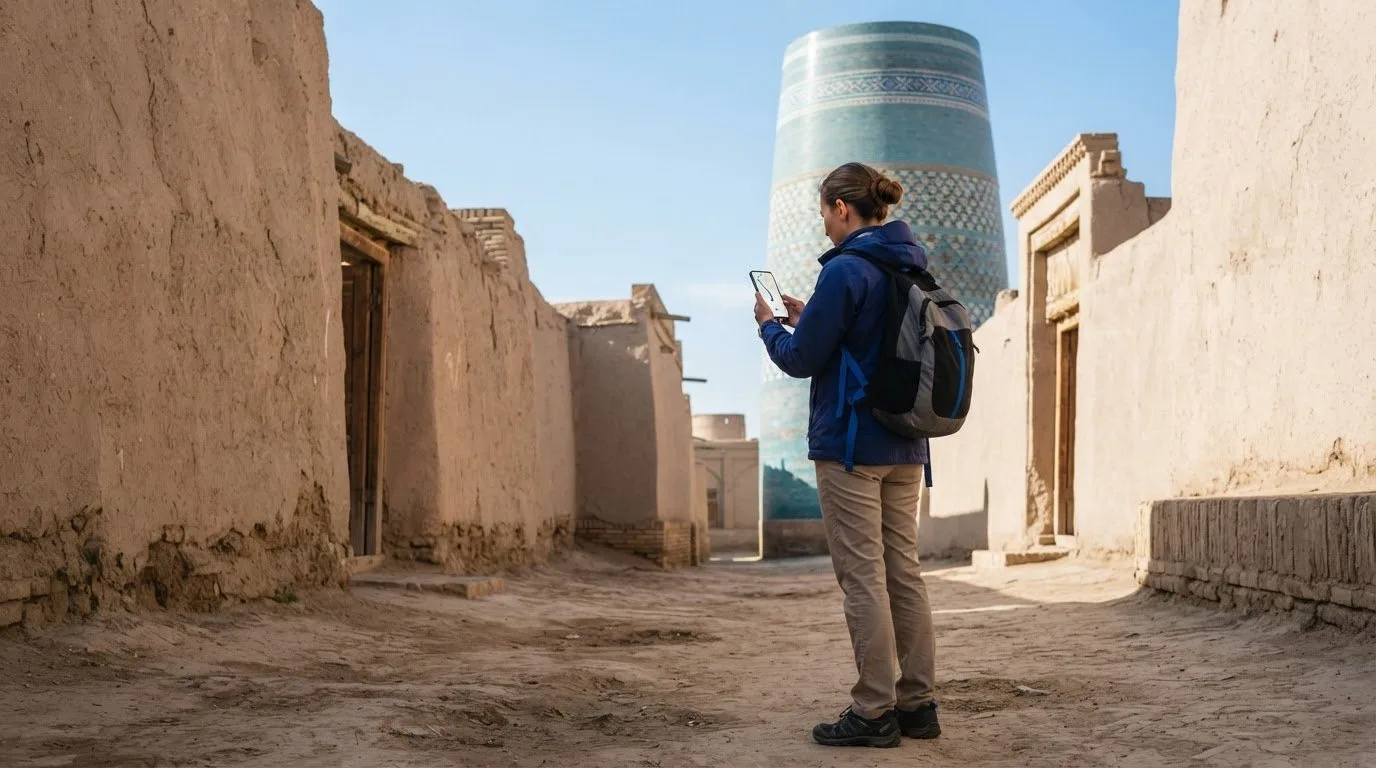
ESIM Uzbekistan for Low-Cost Data and Reliable Coverage
Compare eSIM Uzbekistan plans by price, data, coverage, and validity. Check device compatibility and learn how to buy, install, and activate the right plan.
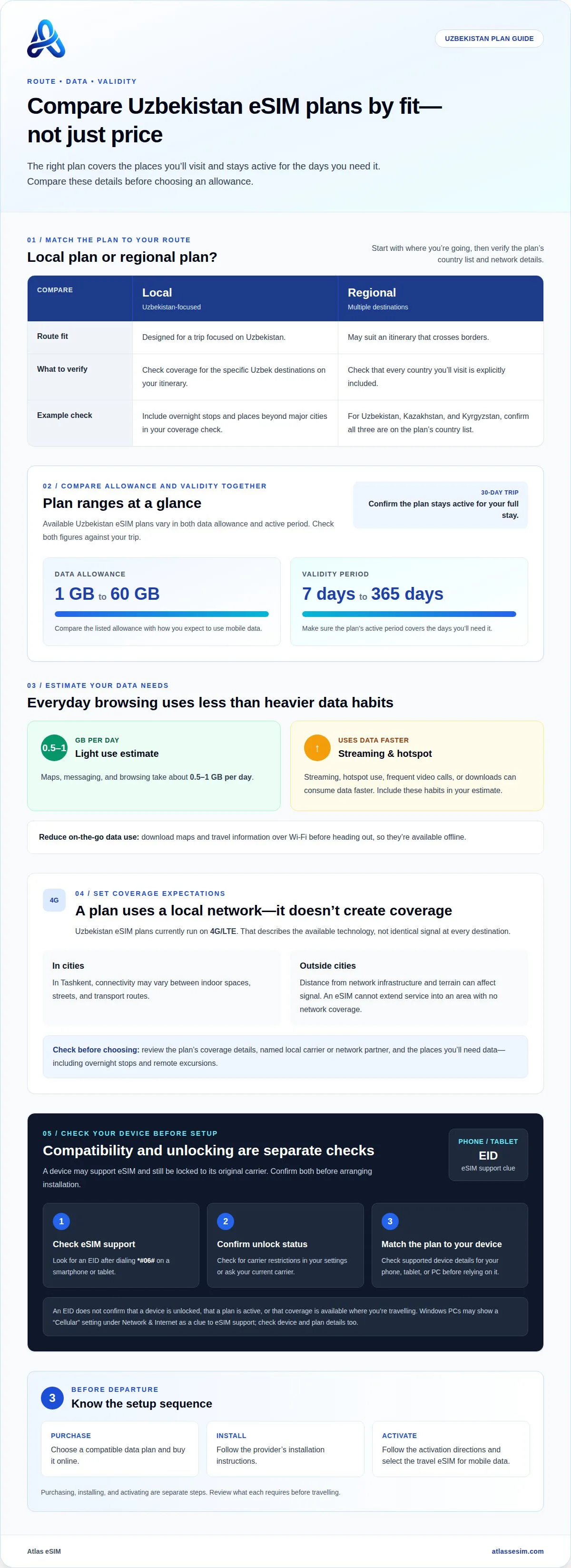
The cheapest eSIM for Uzbekistan isn't automatically the best fit for your trip. It’s reasonable to start with cost, but plans vary in data allowance and validity, with options spanning 1 GB to 60 GB. Light use for maps, messaging, and browsing takes about 0.5-1 GB per day. Your route and how long you’ll stay also matter.
This guide helps you compare eSIM Uzbekistan plans with confidence. Learn how to assess coverage, check device compatibility, and understand what to expect when buying, installing, and activating an eSIM. A local plan keeps the comparison focused on Uzbekistan, while a regional plan may suit a trip that crosses borders. Use these factors to choose an option that fits your itinerary and is straightforward to set up.
Key Takeaways
- Match a local or regional plan to your route and data needs before choosing an option.
- Assess coverage for the places you plan to visit, especially when traveling beyond major cities.
- Check device compatibility and unlocking status before arranging eSIM installation.
- Compare the purchase, installation, and activation steps so you know what to expect before departure.
Table of Contents
What is the cheapest eSIM for Uzbekistan?
The best-value plan depends on your data needs and trip length. Compare the data allowance and validity together, rather than focusing only on the headline offer. An eSIM for Uzbekistan should cover the days you need it and the places you plan to visit. A short stay with light internet use calls for a different plan from a longer trip with frequent video calls or downloads.
Available Uzbekistan eSIM plans range from 1 GB to 60 GB, with validity periods from 7 to 365 days. For a 30-day trip, check that the plan remains active throughout your stay. Light use for maps, messaging, and browsing takes about 0.5-1 GB per day. Streaming or hotspot use can consume data faster, so include those habits in your estimate.
Mobile data can help you navigate between stations and accommodation, coordinate arrival times, and check bookings while travelling. Messaging apps also make it easier to stay in touch away from Wi-Fi. Download maps and travel information before heading out to reduce mobile data use during the day.
Plans may include a capped data allowance or unlimited data. Check the allowance and validity shown for each option before buying. A local plan focuses on Uzbekistan, while a regional plan may suit a route through multiple countries. Choose an eSIM for Uzbekistan based on your itinerary and expected use, rather than automatically selecting the largest allowance.
A travel eSIM generally provides mobile data, not a local phone number for ordinary calls or SMS. Messaging apps can send messages and make calls over the internet when the app and recipient support those features. Download maps and travel documents over Wi-Fi before departure so they’re available offline after you arrive.
If an eSIM for Uzbekistan has no data, confirm that its line is enabled for mobile data and that the plan is active with data remaining. Restart the phone and follow the provider’s installation instructions. If it still won’t connect, contact the provider’s support team.
ESIM coverage in cities and remote areas
An eSIM connects through a local mobile network, so coverage depends on the network supporting the plan. In Tashkent, connectivity may vary between indoor spaces, streets, and transport routes. Outside cities, distance from network infrastructure and terrain can affect the signal. An eSIM can’t extend a network’s coverage into an area where it has no service.
Uzbekistan eSIM plans currently run on 4G/LTE. That describes the available network technology, not a promise of identical signal at every destination. Check the plan’s coverage details against your itinerary, including overnight stops and remote excursions. A route through central Tashkent and a visit to a rural area can involve different coverage conditions.
A local plan is designed for one country, while regional or global plans can cover multiple destinations. Coverage depends on the countries included in the plan and the networks it uses in each one. For example, a Central Asia itinerary through Uzbekistan, Kazakhstan, and Kyrgyzstan requires a plan that explicitly includes all three countries. A global label alone doesn’t show which destinations are covered.
When comparing plans, look for the country list and the named local carrier or network partner. The eSIM connects through that partner’s coverage; it doesn’t create a separate signal. If your phone switches networks automatically, service still depends on the plan and local coverage. This distinction matters when your journey crosses borders or takes you outside a major city.
For practical planning, mark the places where you’ll need data, such as your hotel, a train station, or a WhatsApp contact. Check coverage for those destinations, then see whether hotspot use is supported if you need to connect another device. A hotspot shares your phone’s mobile data, so it relies on the same eSIM connection. Matching a local or regional plan to your route helps set clear coverage expectations.
Device unlocking and compatibility checks
An eSIM requires a compatible device that’s allowed to connect to another network. A phone can support eSIM technology and still be locked to its original carrier. If it’s locked, a travel eSIM may not connect, even when the plan covers your destination. Confirm both compatibility and unlock status before setting up the eSIM.
A device’s settings can offer a quick clue about eSIM compatibility. If an EID appears, the device supports eSIM, according to the supplied device-check guidance. An EID identifies the embedded SIM hardware. It doesn’t confirm that the device is unlocked, that the plan is active, or that coverage is available where you’re travelling.
Windows users can check a PC through Settings. The “Cellular” setting under Network & Internet can be a clue that a Windows PC supports eSIM, but check the device and plan details before relying on it. That menu helps identify eSIM support, but it doesn’t establish that every data plan works with the computer. Check the plan’s supported device details before relying on a laptop connection.
Unlock status and device compatibility are separate considerations. Look in your phone’s network or carrier settings for restrictions, or ask your current carrier whether you can use an eSIM from another network. Menu names vary by device, so follow the manufacturer’s instructions for your model. Even an unlocked phone may have limited coverage in a particular area.
Check these details before you travel:
- eSIM support: Look for an EID after dialing *#06# on a smartphone or tablet.
- Carrier status: Confirm the device isn’t restricted to one carrier.
- Plan fit: Match the plan’s device requirements to your phone, tablet, or PC.
After installation, select the travel eSIM for mobile data and allow it to connect to the network. If Google Maps or messaging apps still show no connection, check the selected data line and plan status. Unlimited data won’t resolve a device lock or unsupported hardware, so check compatibility before choosing a plan.
How to purchase, install, and activate an eSIM
Choose a compatible data plan, buy it online, then install and activate it as directed. Purchasing, installing, and activating are separate steps, so check the instructions for each before travelling.
The passport-registration rule applies to travelers buying a local SIM card in Uzbekistan. That rule alone doesn’t establish a registration requirement for a travel eSIM.
Choosing a Provider and Installing Your eSIM
Compare plans by Uzbekistan coverage, data allowance, validity, and installation instructions. Before buying, make sure the plan suits your compatible, unlocked device. Installation usually requires an internet connection and the provider’s QR code or app instructions. Keep the instructions accessible on another screen, such as a laptop, if your phone can’t scan its own display. Follow the steps provided to add the eSIM profile.
Activation and Use Support
The provider supplies the installation instructions or QR code, and your device adds the eSIM profile. Then select that profile for mobile data and follow the plan’s activation directions. Support can explain where to find your eSIM settings and what to do if installation fails. After activation, confirm that the travel line is selected before opening maps or messaging apps in Uzbekistan.
Installation Timing
Install the eSIM before departure, when you have a stable internet connection and time to follow each prompt. Check the plan instructions to find out when validity begins, since installation and activation may be separate steps. If activation is intended for arrival, leave the profile installed and follow the stated timing after landing. Keep the QR code and setup details available until the device connects.
For a simpler purchase-to-setup path, explore Uzbekistan eSIM options and review the plan details before travel.
Atlas eSIM
Atlas eSIM offers local eSIM data plans for trips focused on Uzbekistan and Regional Plans for itineraries across multiple countries. Choose based on your route, then compare each plan’s data allowance and validity with your expected travel needs. Plan details show the price and data allowance upfront, helping you understand the option before purchase. Customers usually receive an installable QR code in under 60 seconds, so setup can begin once the device is compatible and connected to the internet. This can suit travelers who want mobile data without swapping a physical SIM card. If you’d like help choosing an option for your route, contact Atlas eSIM.
Set up connectivity around your itinerary
Choose a travel eSIM based on the countries you’ll visit and how you expect to use mobile data. An eSIM for Uzbekistan can suit a trip focused on the country, while a regional option may fit a route across borders. Keep your itinerary in mind as you compare plans.
Atlas eSIM offers local and regional prepaid travel data plans. For an Uzbekistan eSIM, compare the plan details with your travel needs before buying. Prices and data allowances are shown before checkout, helping you prepare your phone for maps, messages, and travel information.
If you’d like help choosing a plan, contact Atlas eSIM. Take the next step at your own pace and get ready to travel connected.
Frequently Asked Questions
How much data do I need for a week in Uzbekistan?
For a week, estimate your needs from daily habits. Light maps, messaging, and browsing use about 0.5-1 GB per day, or roughly 3.5-7 GB across seven days. Video streaming, uploads, and hotspot use can raise demand. If you rely on hotel Wi-Fi and download maps before outings, a smaller allowance may work; frequent video calls need more headroom.
Is it Worth Getting a SIM card for Uzbekistan?
A local SIM can suit travelers who prefer to buy connectivity in person, while an eSIM in Uzbekistan lets you set up mobile data without swapping a physical card. Consider whether you’d rather arrange a prepaid plan before your trip or buy connectivity after arrival.
When should I install my eSIM?
Install the eSIM before departure while you have a reliable internet connection and time to follow the setup instructions. Check when the plan’s validity starts, since installation and activation aren’t always the same step. Keep the QR code or setup details accessible until the travel line connects. This gives you time to resolve setup issues before relying on mobile data abroad.
Which eSIM providers offer coverage in Uzbekistan?
Atlas eSIM offers local and regional travel eSIM plans. A local plan is suited to travel within Uzbekistan; a regional plan can fit an itinerary that crosses borders. Compare the plan’s included countries and data allowance with your route and expected use. This helps you select an option that matches your stops rather than assuming every regional plan covers the same places.
Which Uzbekistan mobile networks do travel eSIMs use, and how good is coverage?
Travel eSIM coverage in Uzbekistan currently uses 4G/LTE, and the local network partner depends on the plan. Coverage can vary by location, so a connection in central Tashkent doesn’t establish the signal available on a rural excursion. Review the plan’s network details alongside your itinerary, especially if you’ll need data outside major cities.
How much do eSIM plans in Uzbekistan cost, and how much data do they include?
Available eSIM plans in Uzbekistan range from 1 GB to 60 GB, with validity periods from 7 to 365 days. The price depends on the selected plan, so compare the amount shown at purchase with its data allowance and validity. A large allowance may not suit a short visit with light use, while frequent streaming can call for more data.